
This release includes usability improvements across reporting, budgeting, task management, CCPM scheduling, portfolio printing, API tooling, and platform stability. #
Highlights at a glance #
| Reporting | Redesigned reports experience, improved exports, cleaner layouts, and a new column chooser. |
| Budgeting | New Revenue page, inline cost/revenue entry, status indicators, and faster group expansion. |
| Execution | Shareable task links, better My Tasks prioritization, predecessor warnings, and search improvements. |
| Platform | Security hardening, stability fixes, dark-mode polish, and updated API diagnostics/documentation. |
Reports & Analytics *Important to review the new Report Tables capability #
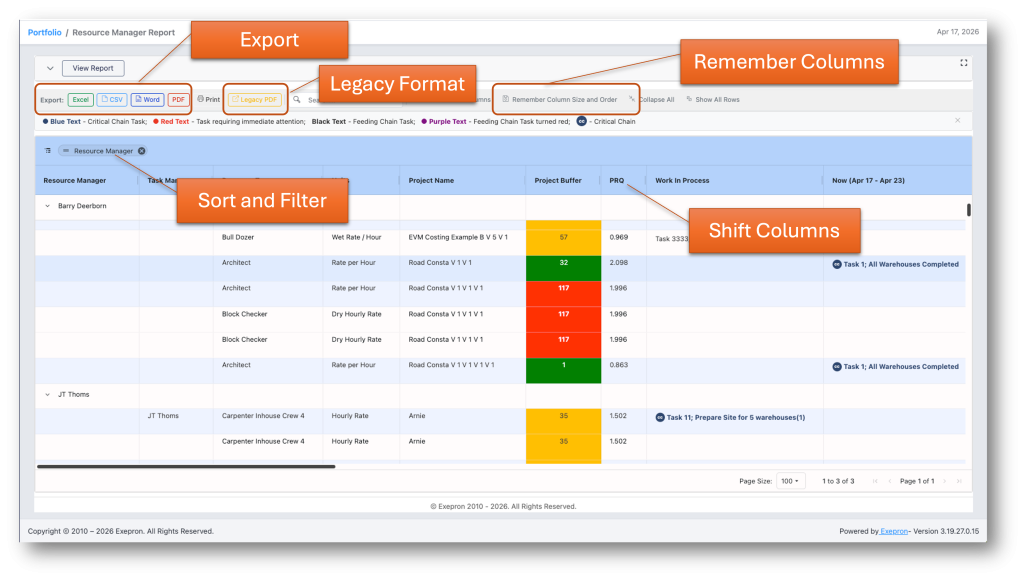
- Completely redesigned Reports interface – modern toolbar, chart and summary-table toggles, scrollable content areas, and a Show All Rows mode for full-dataset viewing without pagination.
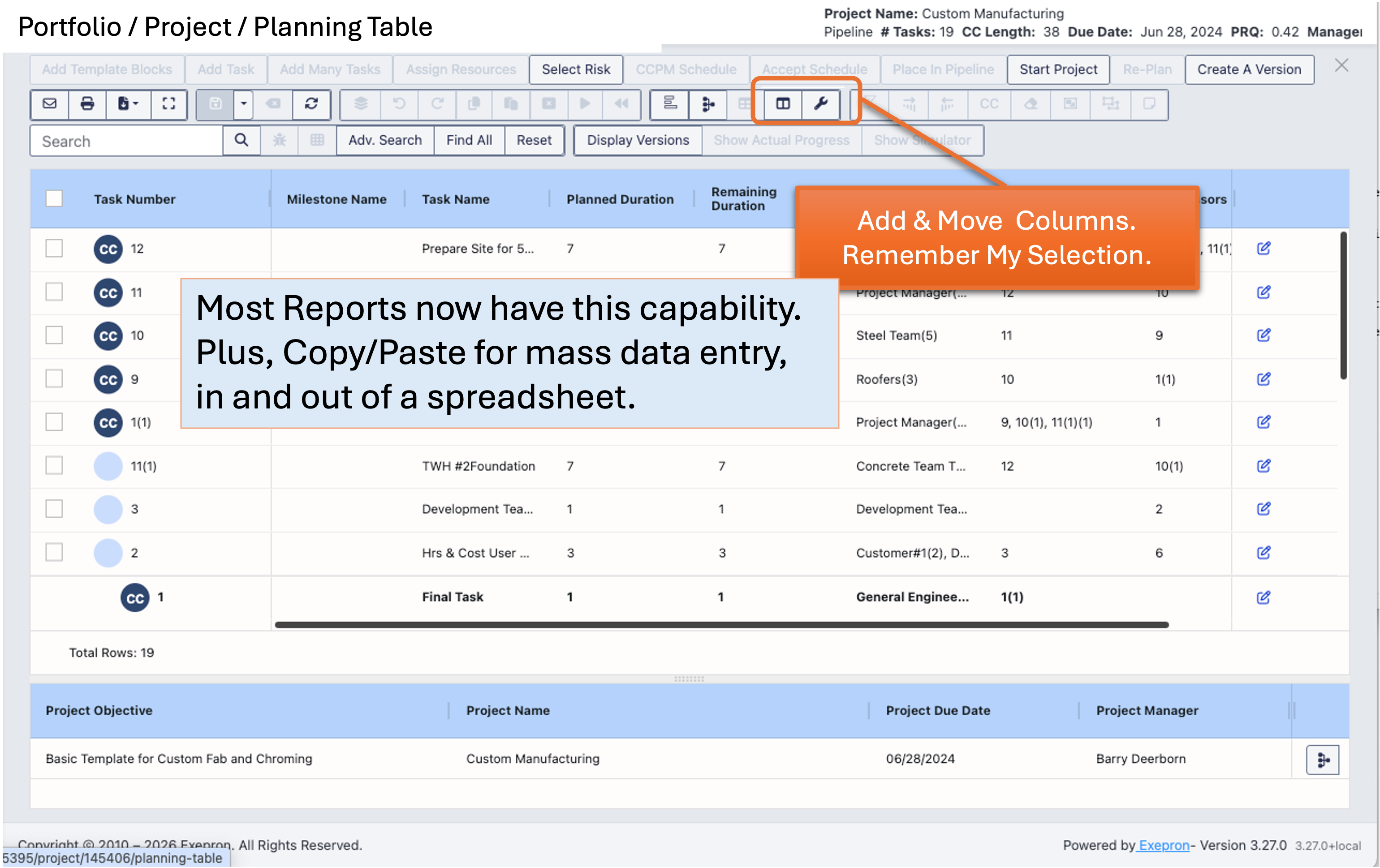
- New interactive Column Chooser – drag-and-drop column reordering, search filtering, support for detail-level columns, and a Reset Columns option.
- Cost Analysis Report rebuilt – flat grid layout, grouped columns, cost totals on group headers, and resource-type breakdowns by task with expandable detail rows.
- Improved report exports – PDF, Word, and print exports now include detail rows, higher-resolution logos, larger minimum font sizes, and clickable task links across eight report types.
- Visual refinements – faint vertical separators, consistent date formatting, and better-aligned parameter panels across reports.
Budget Tools #
- New Revenue management page – a dedicated sub-page for managing project revenue alongside costs.
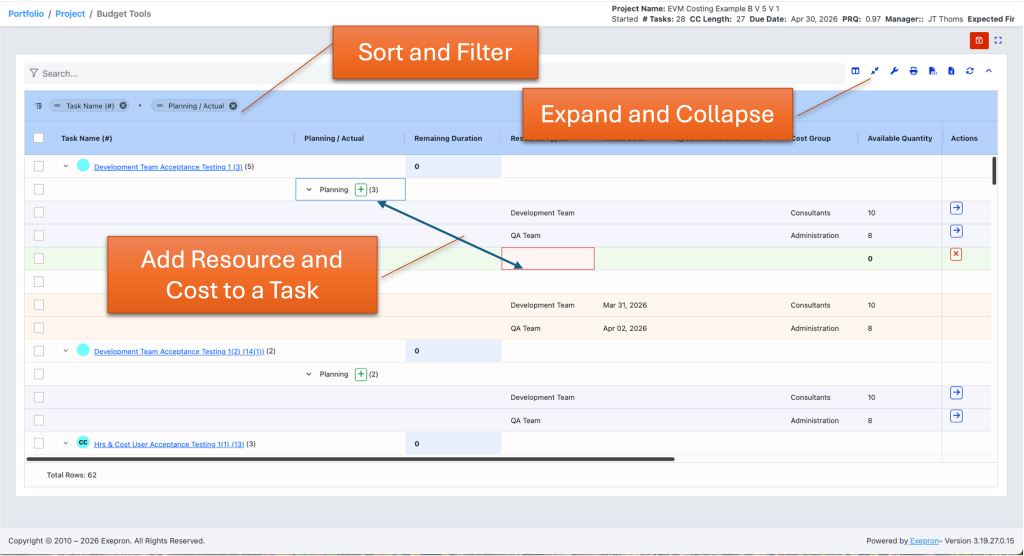
- Inline row creation – add planned and actual cost or revenue rows directly in the grid.
- Task status indicators – Costs and Revenue grids now show task status icons and sort by suggested start date.
- Visual improvements – clearer row backgrounds for planned versus actual entries, task-group cost variance, and auto-sized columns by default.
- Expand/Collapse groups – a new toolbar button lets users expand or collapse all task groups instantly.
Task Management #
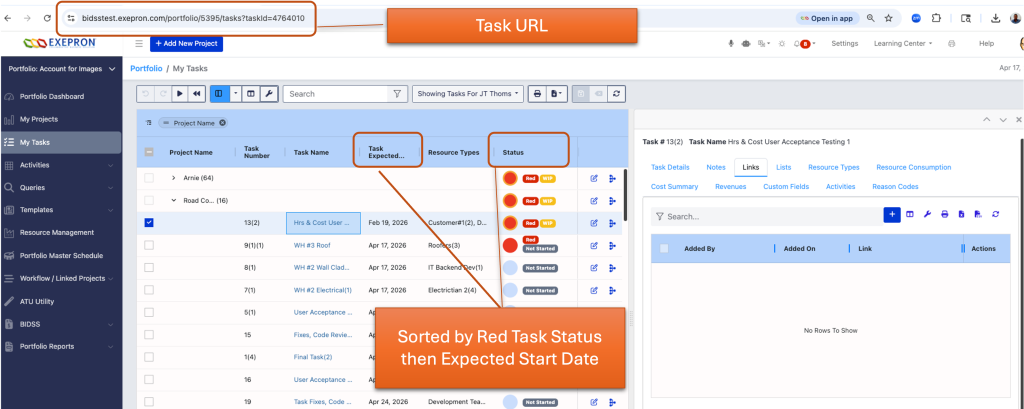
- Shareable task URLs – every task now has a direct link for quick navigation and collaboration. Copy/Paste a Task link or add it to the Browser URL to navigate to the Task.
- Clickable task names – task names in grids now open task details directly, with right-click copy and Ctrl+click support for a new tab.
- My Tasks sorting – default sorting now surfaces Red and WIP tasks first, followed by Expected Start Date.
- Early Warning column – now available in the My Tasks grid and exports.
- Task displays PB Penetration – the My Tasks PB% field now shows accurate per-task buffer penetration and has been renamed for clarity.
CCPM & Scheduling #
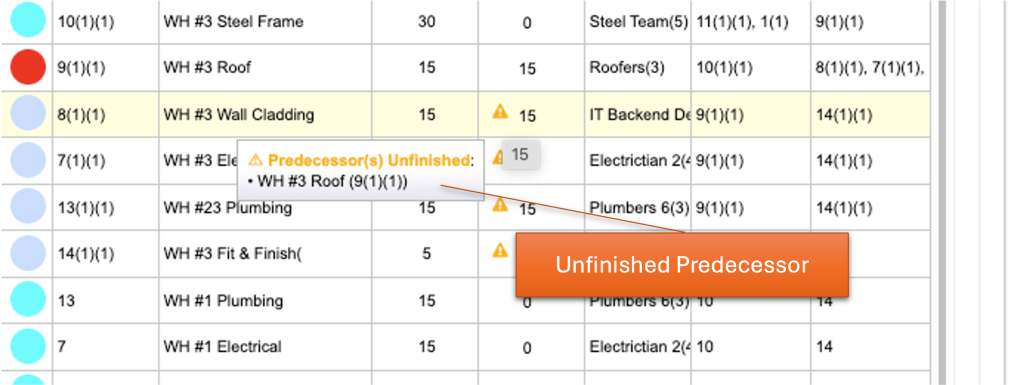
- Predecessor warning tooltips – warning triangles now display detailed predecessor information on hover.
- Improved print output – CCPM print view starts from the correct date, uses proper page dimensions, and prints grid text in black in both dark and light modes.
- Minimap fixes – the CCPM minimap now loads reliably with proper authentication.
- Buffer Recovery Report – improved prioritization by buffer penetration and corrected feeding-buffer attribution.
- Finish/Archive popup control – new account-level option plus a per-project Do not show again setting.
- Select column preferences – CCPM column settings now include a Select & Remember Me checkbox.
- Calendar-driven schedule recompute — when you change an account calendar (working days, blackout days), a new “Schedule Recalc” dialog lets you apply a lightweight project-date refresh on the fly, without running a full re-level.
#
Planning & Resource Management #
- Planning Table search – Enter now cycles through the search results while scrolling, highlighting each match.
- Master Schedule search: users can find and highlight projects using scroll-to navigation.
- Select All improvements – Select All now applies only to visible filtered items, not hidden rows.
- Resource type batch delete – multiple resource types can now be deleted from Settings with dependency checks to prevent accidental data loss.
- Resource type import improvements: fixes for cost-group and unit lookups during import, with stronger validation handling.
Portfolio Dashboard #
- Print improvements – dashboard printing now renders correctly in dark and light modes, with properly sized charts, preserved badge colors, and clean backgrounds.
Activity Management #
- Redesigned Activity Bundle editor – the add/edit experience has been rebuilt with a more modern picker dialog.
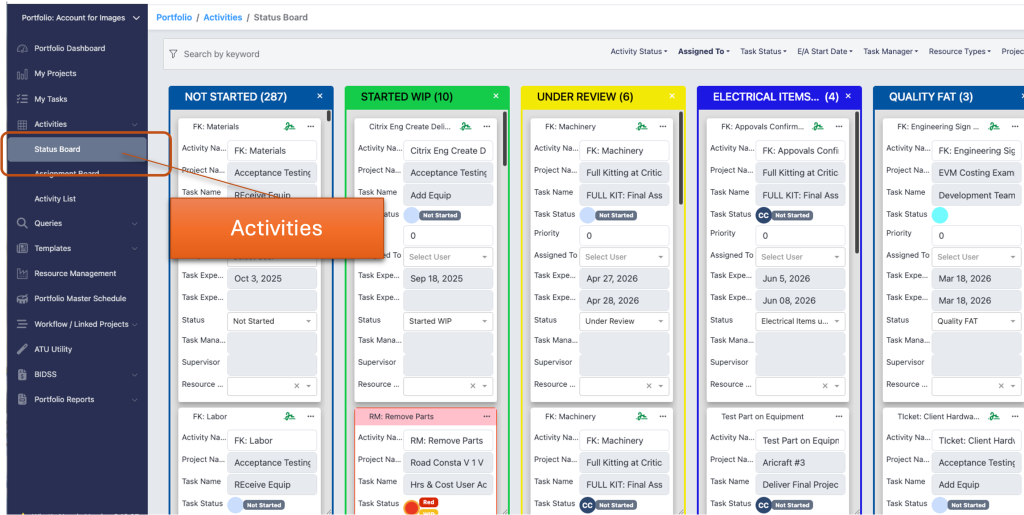
- Custom activity statuses – newly added custom statuses now appear correctly on the Status Board.
- Task Activities — single-click to edit— clicking an already-selected cell in the Task Activities table now opens the editor immediately, removing the previous double-click requirement.
User Interface & Experience #
- Dark mode improvements – multiple fixes across loaders, grids, and print output.
- AG Grid header wrapping – long column headers now wrap to two lines for readability.
- Link editor – pasting a full URL now extracts the protocol correctly.
- Account dropdown – accounts are now sorted alphabetically.
- Learning Center – improved video modal sizing and refreshed video links.
API & Developer Tools #
- Interactive API documentation – unified authentication UI with Bearer token support, scope selection, and persistent client ID across sessions.
- OAuth diagnostics – more detailed OAuth error reporting to help troubleshoot integration issues.
Security & Stability #
- Security hardening – added account boundary checks on report endpoints, stronger input sanitization, XSS prevention, and tighter CORS restrictions.
- Infrastructure upgrade – updated core libraries and frameworks to address known vulnerabilities and improve performance.
- Stability fixes – resolved browser freeze scenarios, infinite spinners, memory leaks, and added defensive error handling throughout the application.
Multi-Language Support #
- 13 languages supported – German, English, English (GB), Spanish, French, Hebrew, Italian, Japanese, Korean, Portuguese, Ukrainian, and Chinese.


