
We’re excited to announce a significant update to Exepron!
This release includes a complete platform upgrade, new features, performance improvements, and numerous bug fixes to enhance your project management experience.
Tips for Getting Started
1. Try the light theme – It’s now the default, but you can switch back to dark mode in your profile settings
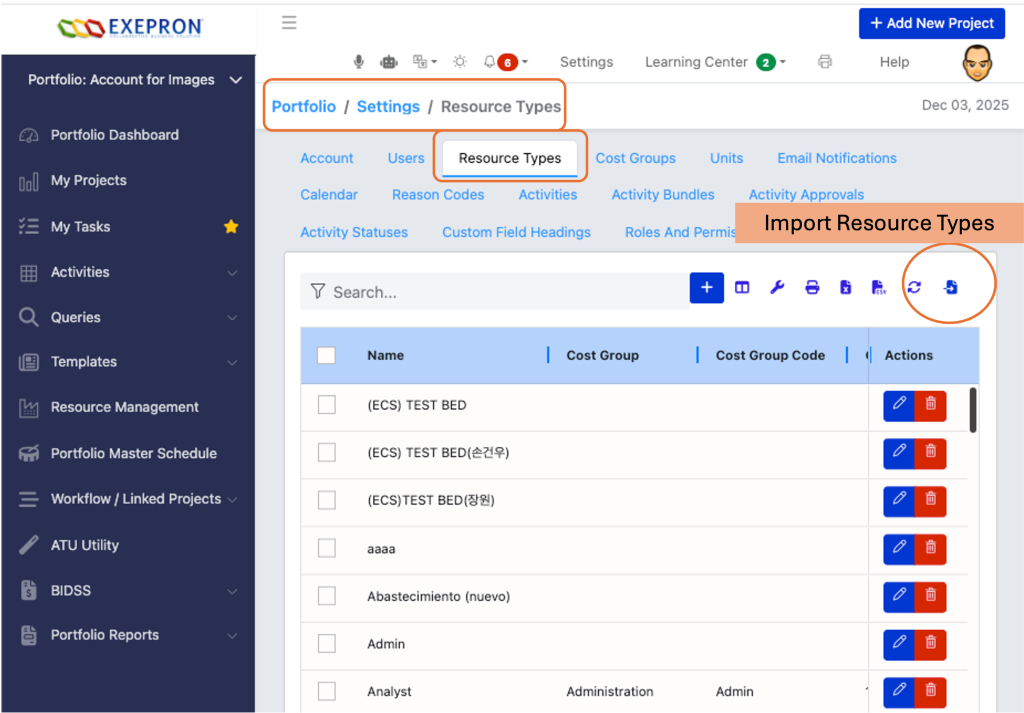
2. Bulk Resource type Import
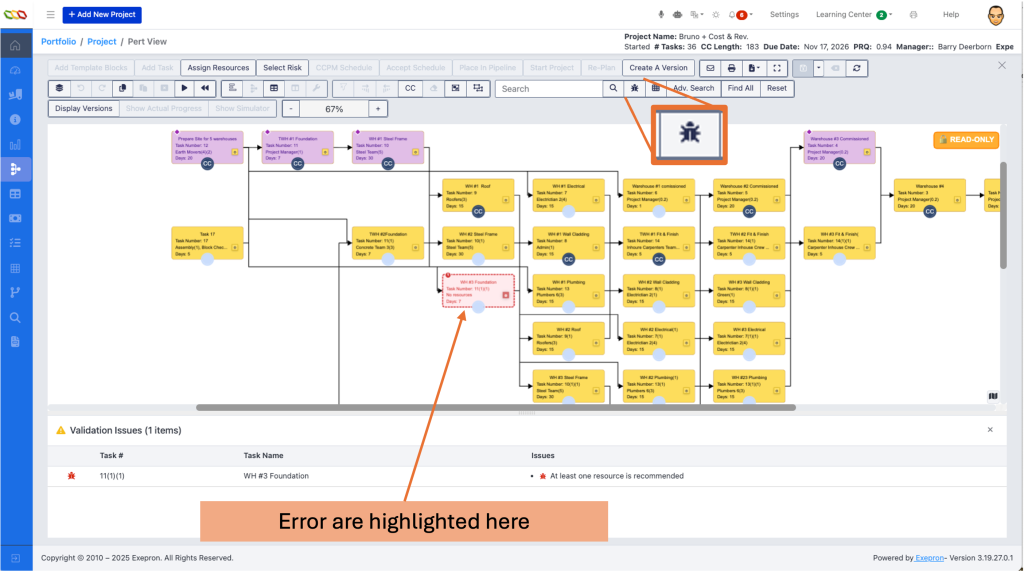
3. PERT scroll using keyboard, find errors feature
4. Explore PERT on your tablet – Touch support makes it easy to work on the go
5. Set up your default view – Save time by configuring your preferred default view
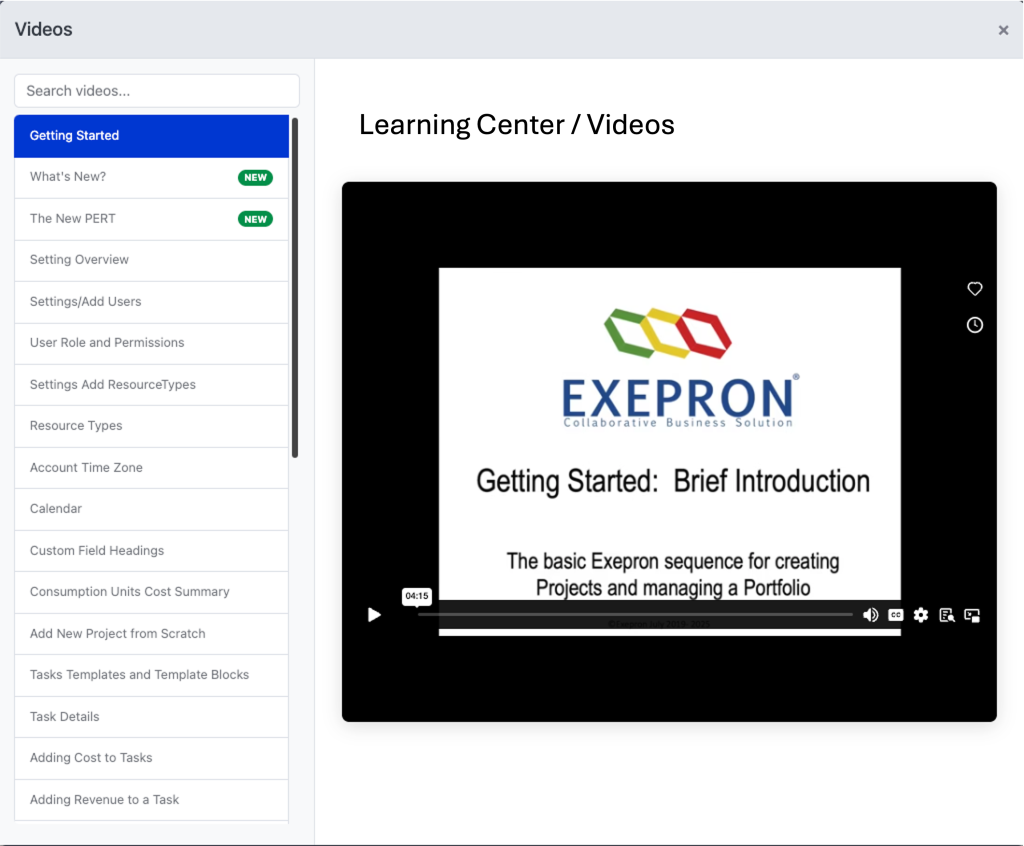
6. Check out the training videos – Find them in the help section to learn about new features
Import Resources in Bulk
Save time by importing multiple resources at once using the new Import Resources button. Upload your resource data and let Exepron handle the rest.
PERT Chart View
The PERT chart has been completely rebuilt with a new modern control offering better performance and new capabilities:
– Smoother experience – Faster rendering and more responsive interactions
– See who’s working – A collaboration indicator shows when other team members are viewing the same PERT chart
– Use on tablets – Full touch support for iPads and other tablet devices
– Your settings are saved – Grid preferences are remembered between sessions
– Work faster – Perform bulk operations on multiple tasks at once
- Better visuals – Improved layout and cleaner appearance
- Error Tracer – Missing information or duplicate Task Numbers are highlighted by clicking the “Beetle” Icon
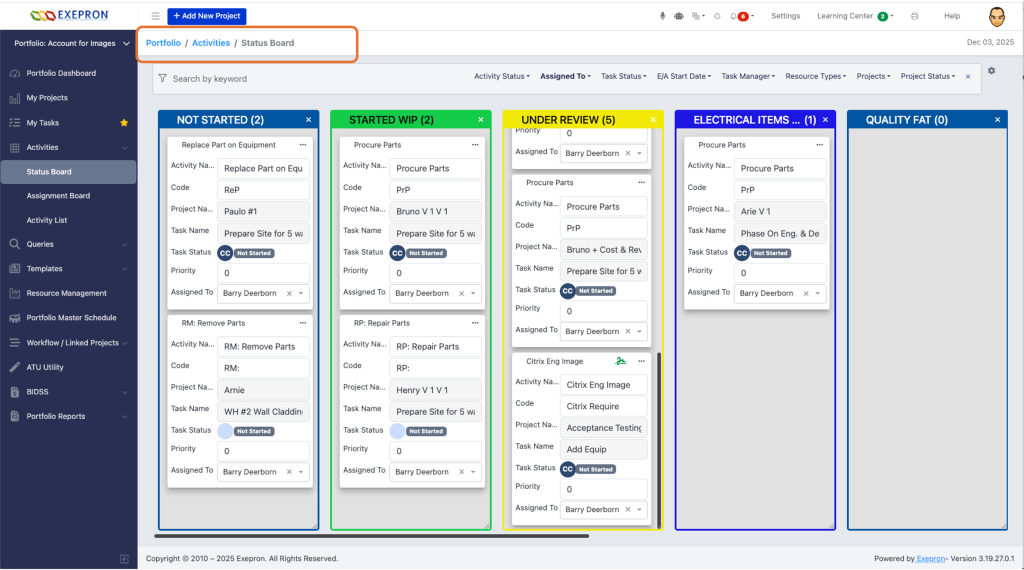
Faster Kanban Boards and Activity Cards
Kanban Boards now load faster and handle large numbers of Activity Cards efficiently, thanks to new pagination support.
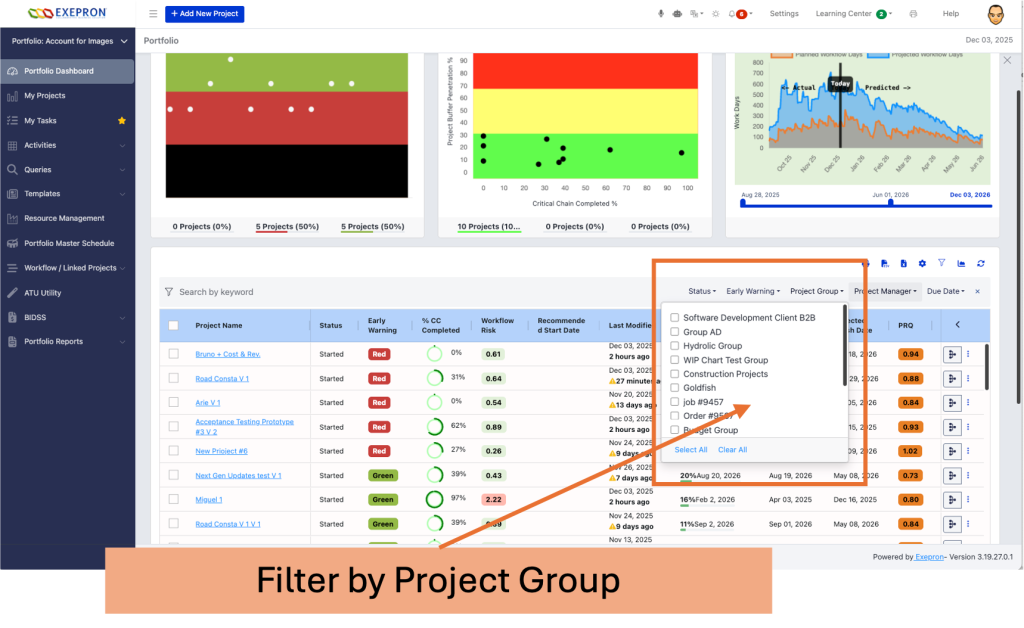
Project Groups
Organize your projects into groups for straightforward navigation and filtering. Perfect for managing multiple departments or project portfolios.
Training Videos
Access helpful training videos directly within Exepron. A new “What’s New” section keeps you informed about the latest features.
Multiple Languages
Exepron now supports additional languages to serve our global user base.
English; український; Deutsch; עִברִית; Portugues; Español; Italiano; 日本; 中国人
Saved Searches
Save your frequently used search filters and reuse them with a single click.
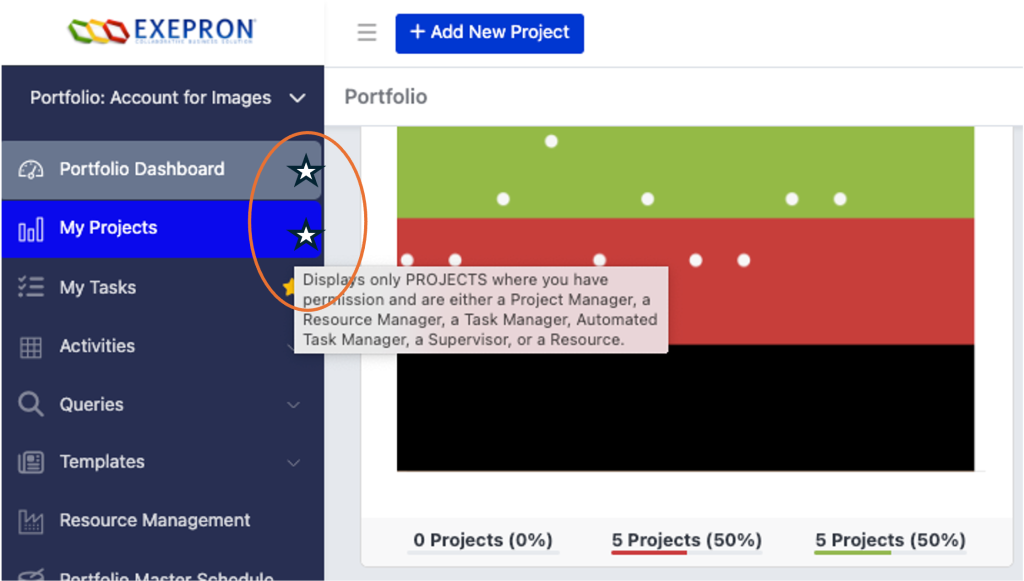
Personalized Views
Set your preferred default view for each account. Portfolio Dashboard, My Projects; My Tasks.
Exepron remembers your choice: Portfolio, My Projects, or My Tasks.
Improved Table Views
All tables throughout Exepron have been upgraded with a new grid system:
– Consistent look and feel – Tables now have a uniform, modern appearance across all screens
– Improved column management – Resize, reorder, and hide columns more easily
– Improved sorting and filtering – Find what you need faster
– Excel-like experience – Familiar spreadsheet-style interactions. Copy and Paste between MS Excel and other applications for mass data modifications and calculations.
- Remember your preferences – Column settings are saved between sessions.
Performance Improvements
– Faster loading times across the application
– Quicker user updates when modifying account information
– Improved task status calculations for large projects
– Faster resource reports and activity loading
– Smoother scrolling and dragging in grids and charts
– Optimized project dashboard for accounts with many projects
User Experience Enhancements
– Light theme is now the default (you can still switch to dark mode in settings)
– Better mobile experience with improved layouts on smaller screens
– Accessibility improvements for users who rely on keyboard navigation
– Cleaner menus with action items organized under ellipsis (…) buttons
– Tab memory – the application remembers which tab you were on
– Improved drag and drop for reordering priorities and tasks
– Better text display – long names are clipped cleanly instead of overflowing
Technical Upgrades
This release includes a major platform upgrade to ensure Exepron remains fast, secure, and compatible with modern browsers:
– Upgraded to Angular 19 (latest framework version)
– Redesigned PERT chart with new high-performance control
– Updated all table and grid components for better performance
– Improved real-time communication reliability
– Enhanced data export capabilities with better formatting
Questions or Feedback?
If you have questions about these new features or encounter any issues, please contact your system administrator or our support team. CustomerSupport@Exepron.com
Thank you for using Exepron!


